Frequently asked questions
Everything about Plant Compass Pro and Lite: how the sun data works, what's free, and how your data is handled.
Quick overview

Point and know
Aim your phone at any window or garden bed. The live compass reads the direction, calculates the sun, and tells you which plants thrive, cope, or struggle there. No setup needed.
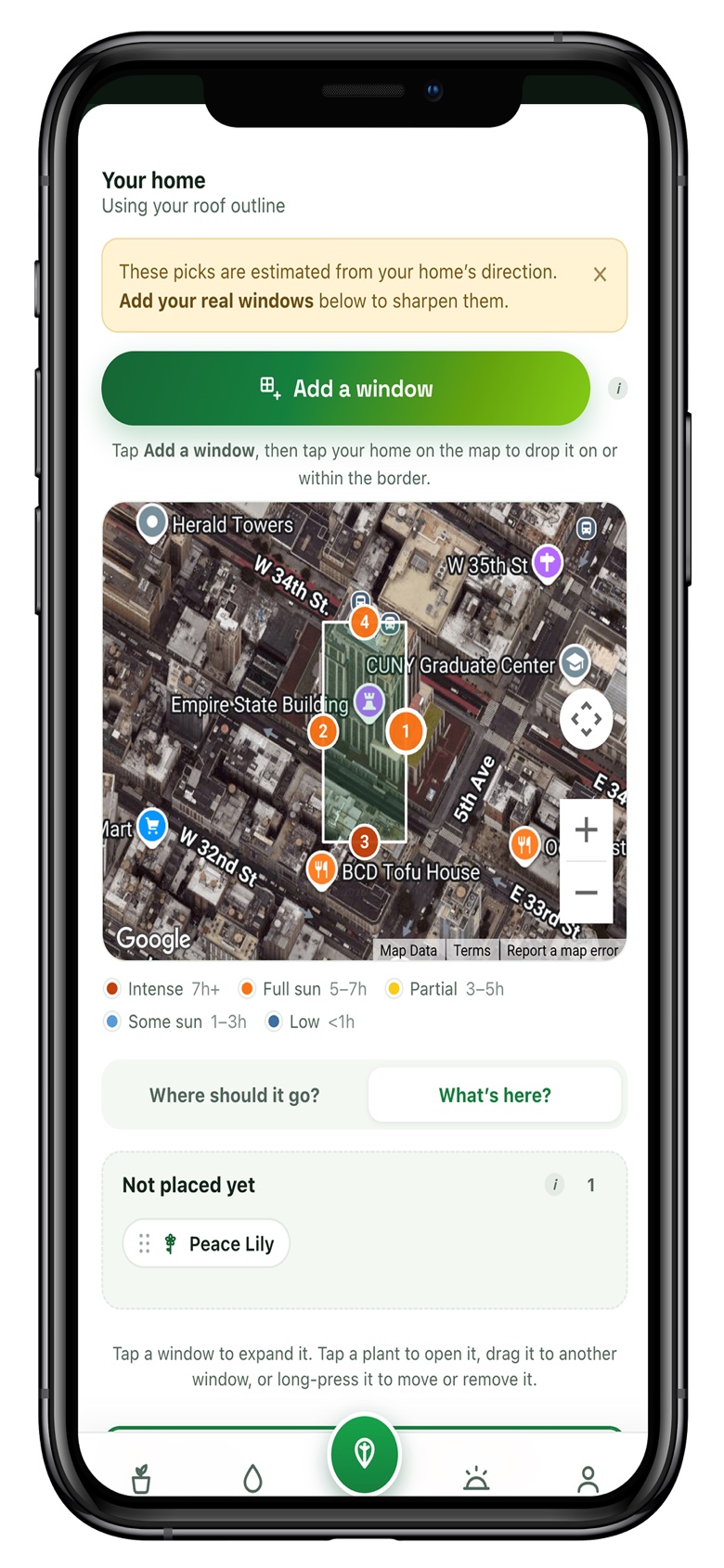
Map your whole home
Trace your home on a satellite map, place every window and garden bed, and get exact hours of direct sun for each spot every season. Then see which plants belong where.
The basics
What's the difference between Pro and Lite?
Plant Compass Pro maps your actual home from satellite imagery, places your windows and garden beds on the map, and gives exact hours of direct sun for each one across every season, with fit ratings from perfect to too bright or too dim. Lite is a quick-check compass: point your phone at any window or bed and instantly see which plants thrive, cope, or should be avoided in that direction. No mapping required.
Does it work for outdoor plants and vegetables?
Yes. Add garden beds alongside your windows and Plant Compass rates where each plant will get enough sun, indoors or out. The catalog now covers vegetables, herbs, and fruit, not just houseplants, and flags the frost-tender ones.
Is Plant Compass free?
Both apps are free to download. Pro lets you add up to three plants at no cost; unlimited plants unlock at $2.99/month or $19.99/year. Lite is free to use with a sample plant and the full compass; a single one-time in-app purchase unlocks your whole plant collection, with no subscription ever.
Which devices does it work on?
Plant Compass is an iPhone app, and it also runs on iPad in iPhone-compatibility mode. An Android version isn't available yet.
Does it work outside the US, or in the southern hemisphere?
Yes. The sun calculations use astronomical solar-position math for any latitude and longitude on Earth, so it works worldwide and in both hemispheres.
How it works
How accurate is the sun data?
We compute the sun's real path for your exact latitude and longitude, accounting for the season, from sunrise to sunset. In Pro you can also mark what's outside each window or bed (a tree, an overhang, a fence, or open sky) so the estimate reflects your real surroundings.
How does photo plant identification work?
Plant Compass Pro lets you snap or upload a photo and identify the plant using Pl@ntNet's recognition. The match is added to your collection along with its light needs, so you can place it right away. No API key needed.
How do watering reminders work?
Pro includes per-plant watering reminders tuned to each plant's needs, so nothing dries out or gets overwatered. You can adjust the interval for any plant.
Account & privacy
Do I need an account?
Lite works fully without an account. Pro offers an optional sign-in via email link so your home and plants sync across every device you use. You can start as a guest and create an account later.
Do you store my home address?
Your home and plants stay on your device. In Pro, your data syncs to your own private account so it follows you across devices. Address lookup and sun positions are computed on your device, and we never sell your data. See our Privacy Policy.
Will my plants sync between Pro and Lite?
Your purchases and subscription are tied to your account, so signing into both apps with the same email recognizes what you own. Plant collections are currently stored separately in each app.
What if my house isn't on the satellite map?
No problem. Drop a pin where your home is, or just place windows by compass direction. The sun math works either way.
Plans & billing
How much does Pro cost?
Pro is free with up to three plants. Unlimited plants and photo ID unlock with a subscription at $2.99/month or $19.99/year.
What does the Lite unlock include?
The free version of Lite is the live sunlight compass with a sample plant. A single one-time purchase unlocks adding all your own plants and searching the full catalog. It's a one-time purchase, not a subscription, and you can restore it free on a new device with the same Apple ID.
How do I cancel or manage my subscription?
Subscriptions are managed through Apple. Open the Settings app on your iPhone, tap your name, then Subscriptions, find Plant Compass, and make your change there.
Can I get a refund?
Refunds for App Store purchases are handled by Apple. Visit reportaproblem.apple.com, sign in, find the purchase, and request a refund. If something went wrong on our end, contact us and we'll help.
Still need a hand?
Can't find your answer? Send us a note and we'll get back to you, usually within a day or two.
Contact us